Staffbase
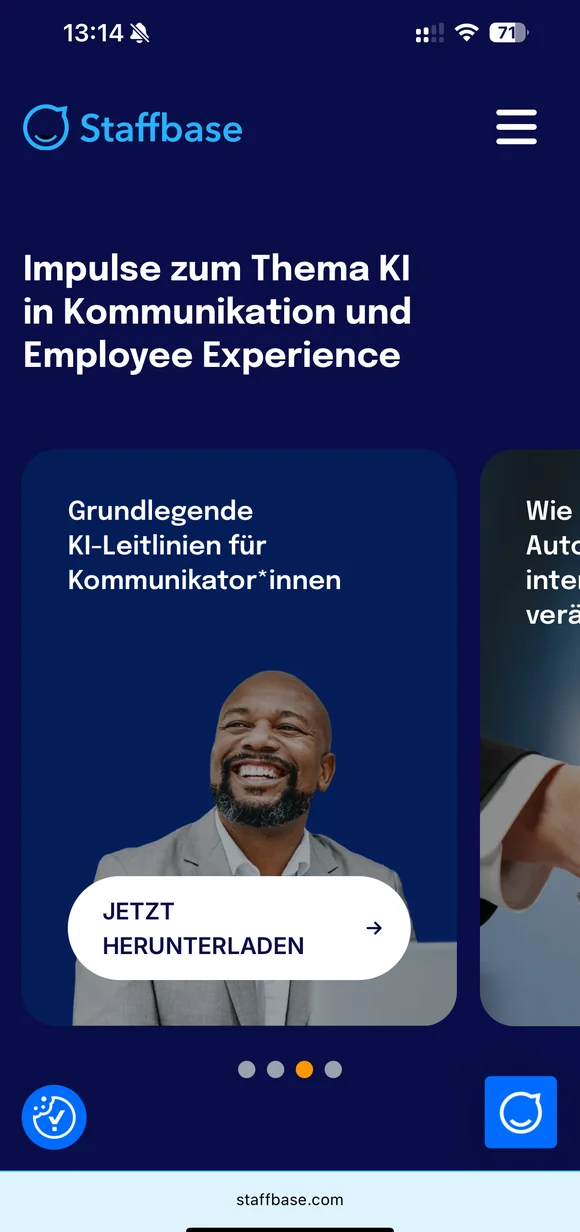
Staffbase is a corporate communication platform that connects employees via an intranet portal or mobile app. It enables engagement, news delivery, and knowledge sharing for distributed organizations.
Fragmented, insecure WordPress landscape across multiple instances
Poor scalability and performance for rapid international growth
Inefficient workflows due to lack of uniform component structures
Complete relaunch on future-proof Symfony and Storyblok architecture
Significantly improved performance (LCP/CLS) driving UX and SEO
Unified content workflows and accelerated feature development
Technologies in this project
The stack behind a fast, scalable platform for Staffbase's global brand.
-
Symfony
 The backbone of the relaunch. One secure, maintainable codebase replaced several WordPress instances and gives the team a solid base to ship new features faster.
Symfony development
-
Storyblok
 A headless CMS with a shared library of components. Editors in five languages build pages from the same building blocks: a consistent brand, no developer bottleneck.
Storyblok CMS development
-
Upsun
 Cloud hosting (formerly Platform.sh) with a preview environment for every branch. Each change is tested on a production-like copy before it goes live, so releases are safer and faster.
-
Varnish
 A full-page cache in front of Symfony. Visitors get ready-made pages straight from the cache: fast load times and headroom for traffic peaks.
-
Tailwind CSS
 The design system in code. Shared utility classes keep every component visually consistent and make new page layouts quick to build.
-
Hubspot
 The site's lead engine. Every demo request and webinar sign-up reaches HubSpot with country, funnel stage and cookie consent, while known fields are pre-filled to keep forms short.
Services in this project
From relaunch to growth: what we delivered for Staffbase's global website.
-
Custom Development
A headless architecture with Symfony and Storyblok, tailored to Staffbase: a secure codebase, a living style guide of every component and custom integrations that grow with the platform. Custom software development -
Corporate Websites
A complete relaunch of Staffbase's global corporate website: one platform, five languages and a shared component library that editors use without developer help. Corporate website development -
Data & Growth
Tracking and experimentation built into the platform: GTM with consent mode, A/B tests via Convert, UTM forwarding and consent-aware HubSpot forms. Every change can be measured. Data & growth services
Interview
Full publishing freedom — the platform takes care of performance and stability

Staffbase, a global leader in employee communications, replaced multiple WordPress instances in six months with a single platform based on Symfony and the headless CMS Storyblok. The site operates in five languages, with the editorial team publishing across several time zones. Frontend Developer Karol Pieczonka shares how the team built a component library that lets editors construct pages without developer assistance, why accessibility is built into every component, and how LCP was reduced from over four to under two seconds. He also discusses what a Symfony and Storyblok agency must deliver to make such a platform succeed every day.
Staffbase previously ran several WordPress instances. What did the move from WordPress to Symfony mean for the frontend?
The main issue was a lack of consistency and ongoing instability. Each WordPress instance had its own theme, plugin set, and overlapping customizations. As a result, plugins frequently conflicted after updates, and the entire site ran far too slowly. The exact same UI element could look different depending on where it appeared. Editors were either fighting page builders or asking developers for help with every new page.
It wasn't just about a refreshed look. We broke down existing pages into reusable blocks and defined each one just once: its fields, required inputs, and mobile display behavior. Today, there are nearly sixty of these blocks. Editors enter Storyblok and assemble them as needed, confident that the underlying code remains clean, stable, and fast.
Why a headless CMS with Symfony, without a separate frontend application?
Because maintaining one application is much simpler than managing two. A separate frontend means a second infrastructure, a second deployment pipeline, and a second codebase to look after. A corporate website needs to be fast, highly visible on Google, and easy to edit — for that, a dual-app architecture simply wasn't necessary.
Storyblok delivers content, while Symfony renders complete HTML directly on the server. Browsers and search engines get a fully rendered page right away. Along the way, we expanded the Storyblok Symfony bundle and the PHP API client, sharing those improvements back with the open-source community.
Interactivity is handled by Symfony UX. Every block is a Twig Component with its own PHP class and template, so any updates are made in a single place. We built the search function, event filters, and loading more blog posts with Live Components: state is calculated on the server, and only the updated HTML snippet is swapped in the browser. Minor interactions like carousels or tabs are handled by lightweight Stimulus controllers. Users get a fast, responsive site without us having to build a second frontend.
Why build custom UI components from scratch instead of using off-the-shelf libraries?
Because every interface element does exactly what the site requires — and nothing more. Pre-made libraries or npm packages bring along unnecessary features and styling that no one uses, yet the browser still has to download, parse, and execute them. Our components are lightweight and fast.
The second reason is complete control over accessibility (a11y). Every element was built from line one with keyboard navigation and screen reader support in mind. We didn't have to override or "fix" someone else's code to meet accessibility standards. And because the editorial team builds pages exclusively with these prepared blocks, every new page is inherently accessible and performant.
How does Tailwind help maintain a consistent look across nearly sixty components?
Colors, spacing, typography, and breakpoints are defined once in the Tailwind configuration, and all components draw exclusively from those values. If someone uses a non-standard margin in the code, it shows up immediately during code review.
Then there is the sheer scale: over thirty blocks exist in five color themes and several layout variants. That is why we created a style guide — an internal page displaying every component across all possible configurations. We test every new block there first before it ever reaches the editor for the content team.
The site operates in five languages, including Japanese. How did you approach testing and frontend quality assurance?
In layers — because every bug has a place where it’s cheapest to catch.
The first layer is the block itself. Every component has a contract in the code with Storyblok: which fields are required, how many items it can hold, and which themes are allowed. If content does not meet this contract, an error appears in the preview before anyone hits "Publish." Automated unit and template integration tests enforce this, alongside a full suite of CI/CD checks on every pull request: static analysis, Twig and JavaScript linter checks, and even spellchecking.
The second layer is human. Every component is built first in our style guide, where we test it across all themes and layout variants, using the longest real-world content and testing on actual mobile devices — accounting for edge cases like Japanese font rendering or long German headlines. From there, it moves to a dedicated preview environment — a full replica of the live site. The design team evaluates the visual execution, while the Staffbase editorial team builds an actual page with it. When an editor constructs a landing page with a new block and encounters zero surprises, I know the component is ready.
The editorial team works across multiple time zones. How does the platform support their daily workflow?
New content is created at all hours, often when no developers are online. As a Storyblok agency, the key for us was establishing a safe editing environment where unfinished changes never accidentally leak to the live site.
In Storyblok, drafts are kept separate from published content, integrating cleanly with the built-in workflow system. An editor constructs a page using ready-made blocks in the visual editor, seeing a real-time preview of their changes. Drafts can be reviewed by team members or scheduled for automatic release at a specific time.
Only upon publication does cache invalidation happen selectively — updating just the affected pages and language variants within seconds. Additionally, for global webinars and events, dates are stored in a single time zone, and the visitor's browser automatically converts them to their local time.
The relaunch delivered a major boost to Core Web Vitals. What drove that improvement?
According to Chrome User Experience Report data, LCP dropped from 4,217 to 1,961 milliseconds, while CLS was reduced from 0.31 to just 0.01. There wasn't a single secret trick — it was the cumulative effect of many deliberate decisions.
Caching plays a major role. Varnish serves most pages directly from memory, so the browser receives complete HTML almost instantly. The second factor is a lightweight frontend. All images pass through a single component that optimizes format and size for the screen while reserving layout space in advance, preventing content shifts. By default, assets are lazy-loaded on scroll — with one deliberate exception: the hero image, which is the first thing a user sees, loads immediately as it directly impacts LCP. Since it's baked into a single component, no developer can forget to apply these best practices when building new sections.
The exact same rule applies across the entire site: we load only what's necessary, and only when it's needed. Videos play only when visible on screen. HubSpot form scripts are delivered exclusively to pages containing a form. Google Tag Manager, consent banners, and analytics tools load in a strict sequence and only after user consent. That’s essential for both performance and GDPR compliance.
How long did the project take, and what was the collaboration with Staffbase like?
It took six months from kickoff to launch.
From day one, we worked as a single unified team built on open communication and quick feedback. Daily standups were short and focused on clearing blockers to make sure we were heading in the right direction. The rest of our workflow happened naturally through task discussions, pair programming, and thorough code reviews.
Every code change automatically spun up its own isolated preview environment. This allowed the design and editorial teams at Staffbase to test new features live before hitting production, without waiting around for formal demo meetings.
A key goal was ensuring the internal Staffbase team could easily maintain and expand the platform post-launch. We kept standards simple and consistent: when every component follows the exact same pattern, adding the next block is straightforward for any developer on the team.
What would you do differently in your next Symfony and Storyblok project?
Before writing the first template, I would write out full specifications for every component. At the start, we built blocks in the order they were needed on mockups and unified the code later on. Defining shared elements — like spacing, buttons, or card variants — up front would have saved us time on revisions.
Second is planning analytics and privacy consents earlier. Consent banners, tag managers, and analytics tools impact page speed and initial layout rendering. In this project, they were added gradually during development; next time, I would put them in the backlog from Sprint 1.