Shopware B2B: the Components can do more than most projects use

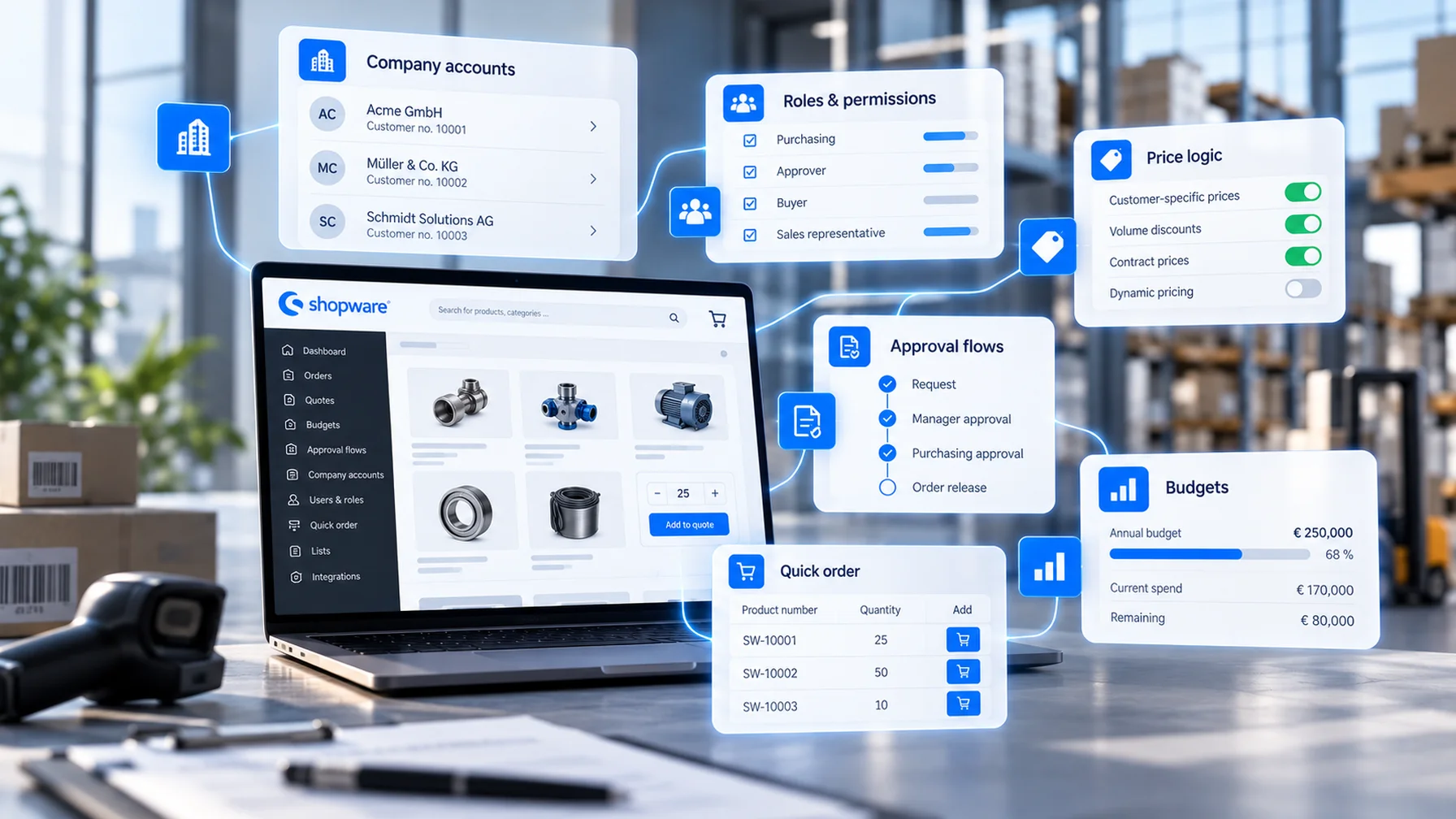
Shopware B2B in 2026 is a different topic than three years ago. The old B2B Suite is being retired, the B2B Components are the standard. Yet B2B projects still fail, and rarely because of missing features.
Shopware B2B projects stall for three reasons: pricing logic that nobody ever wrote down, master data the ERP never delivered cleanly, and approval workflows that work fine over the phone but fall apart the moment you try to digitize them.
This article breaks down what Shopware B2B can do today, which edition you actually need, and what you must nail down before the project even starts.
Shopware B2B 2026: What B2B Components Deliver by Edition
B2B Components module by module, with edition assignments straight from Shopware
The end of the B2B Suite in Shopware 6.8 — and what existing customers need to do
Typical mid-market requirements and how Shopware handles them
Four reasons B2B projects fail, and how to address them upfront
Where Shopware Stands in B2B
Shopware has been making serious B2B investments since 2023. Gartner placed it in the Magic Quadrant for Digital Commerce 2025 as a Visionary; Forrester ranked it a Strong Performer in the Commerce Solutions Wave Q3 2026 (both figures per Shopware). For mid-market businesses in the DACH region, that makes Shopware a natural contender alongside Adobe Commerce — and increasingly alongside Shopify, now that Shopify Plus has expanded its B2B capabilities.
The real question isn't whether Shopware can handle B2B. It's whether your business knows which kind of B2B it needs.
B2B Components: What's Inside, and From Which Edition
B2B Components are modular features built into the Shopware core. According to the Shopware pricing page, they start at the Evolve edition. Community Edition and Rise include no B2B workflows.
From Evolve:
Advanced roles and permissions within a customer organization
Quote management: create, send, accept, and decline quotes
Quick order via article number or file upload
Order lists for recurring orders
Sales Agent: sales reps order and advise on behalf of customers
Organizational units: departments with their own addresses, payment methods, and staff
Customer-specific catalogs
Budget management per organization
Individual Pricing: rule-based discounts per organizational unit or tag
Only from Beyond:
Customer-specific prices — fixed net prices per customer
Multi-Inventory, Subscriptions, Digital Sales Rooms
That line in the sand matters for B2B merchants. If your ERP stores individual net prices per customer and you need the shop to reflect them exactly, Evolve isn't enough according to Shopware's pricing. You'll need Beyond, or an integration architecture where the ERP supplies prices at runtime.
The End of the B2B Suite
The older B2B Suite will no longer be supported from Shopware 6.8, according to the Shopware developer documentation. Shopware provides a migration extension that moves data into B2B Components — but the catch is real: roles and budgets are modeled differently in the two systems. This migration is a proper project, not a button click.
Shopware 6.8 is scheduled for 2027. That gives B2B Suite users a timeline, but not a buffer. Anyone starting fresh builds on B2B Components, full stop.
Typical Requirements and How Shopware Handles Them
ERP pricing and conditions. Tiered discounts and customer groups are handled by the Rule Builder. Per-organization pricing is covered by Individual Pricing from Evolve onwards. True net prices per customer: Beyond, or an ERP price call at runtime.
Approvals and budgets. Roles, order approvals, and budgets are included in the Components. The prerequisite: your customer has actually defined their approval processes. That's rarer than you'd expect.
Field sales. Sales Agent enables orders in the customer's name, quote management, and a customer overview — for many merchants, the first step toward digitizing sales operations.
B2B and B2C together. Using separate Sales Channels and customer groups, both models can run in a single installation, with separate prices, payment methods, and content managed through Dynamic Access.
Integration. Shopware Nexus offers Shopware's own orchestration layer, with pricing starting in October 2026. For complex ERP landscapes, a middleware or direct integration remains the proven path.
What a Shopware B2B Project Actually Means for Your Business
A B2B shop reshapes sales processes. Your inside sales team handles fewer routine orders and more exceptions. Your field reps get a tool they have to adopt. Your customers take over approvals that previously happened by phone. This means a large part of the project is organizational, not technical. The Components already cover most of the functionality.
Why Shopware B2B Projects Fail
Undocumented pricing logic. The ERP holds price lists, tiered structures, special conditions, and handshake deals. It's only mid-project that it becomes clear nobody knows all the rules. The result: scope creep in pricing.
Master data quality. Variants without clear assignments, customers with multiple account numbers, items without packaging units. The shop surfaces data problems the ERP has quietly buried for years.
No clear integration owner. The ERP interface needs someone on the customer side who understands the system and has decision-making authority. Without that person, the project stalls.
Sales team left out of the loop. A B2B shop that the field team sees as competition stays empty. Commission models and roles have to be settled before go-live.
What to Do Before You Start
Document your pricing logic completely before the project begins: which prices, from which system, in which order. You'll find a template for requirements gathering in the replatforming guide, section 2.4.
Choose your edition based on pricing logic: Evolve for rules-based pricing, Beyond or ERP runtime pricing for true customer-specific prices.
Run a master data audit before the test migration — not after.
Fill the ERP owner role on the project team, with dedicated time in the budget.
If you're on B2B Suite: plan the migration to Components before 6.8 ships.
The Bottom Line
Shopware B2B is functionally mature. B2B Components cover typical mid-market processes from Evolve onwards; the step up to Beyond is about true customer-specific pricing. Projects fail because of process gaps and data problems, not because the platform can't keep up.
Strategically, a B2B shop is a sales project with a technical layer. Set it up as an IT project and you'll end up with a platform nobody uses.
With the B2B Suite sunset and Shopware Nexus on the horizon, Shopware is doubling down on integration and modular processes. That aligns with what B2B merchants actually need.
If you're planning a B2B project or facing a B2B Suite migration, we'll work through your pricing logic, data quality, and edition requirements with you before a single line of code gets written. As a Shopware agency with a dedicated B2B unit and ERP integration expertise, we know where the traps are.
FAQ
Which Shopware edition do I need for B2B?
At minimum Evolve — that's where B2B Components start, including roles, quotes, budgets, and Sales Agent. Fixed customer-specific net prices, Multi-Inventory, and Subscriptions are reserved for Beyond according to Shopware's pricing.
What's the difference between B2B Suite and B2B Components?
The B2B Suite is the older, monolithic extension. B2B Components are modular features built into the Shopware core, and all new functionality is added there. The Suite won't be supported from Shopware 6.8 onward.
By when do I need to migrate from the B2B Suite?
Before updating to Shopware 6.8, which is scheduled for 2027. Shopware provides a migration extension, but the data models for roles and budgets differ between the two systems and require careful planning.
Can I run B2B and B2C in a single Shopware store?
Yes, using separate Sales Channels and customer groups with their own prices, payment methods, and content. Dynamic Access from Evolve onwards controls which customer group sees which content.
What causes Shopware B2B projects to fail most often?
Undocumented pricing logic, poor-quality master data from the ERP, no clear ownership for the integration, and a sales team that wasn't brought on board early enough.