Connecting Pimcore to Your Shop: Clean Product Data Flows

 AI generated
Connecting Pimcore to Shopware or Magento: data ownership, the Datahub, connector or custom integration, and a data model that fits your shop.
A PIM is only as good as its connection to the shop. If product data is perfectly maintained in Pimcore but arrives in Shopware or Magento only partly or late, nobody benefits. That's why the interface decides whether a PIM project succeeds.
If you want to connect Pimcore to your shop, you need to answer three questions: which data flows where, through which route, and who is responsible for what? Clarify that upfront and you avoid duplicate maintenance and data chaos.
At a glance:
Which data flows between Pimcore, ERP and shop
Which technical routes are available
What matters in the data model
How to build the integration step by step
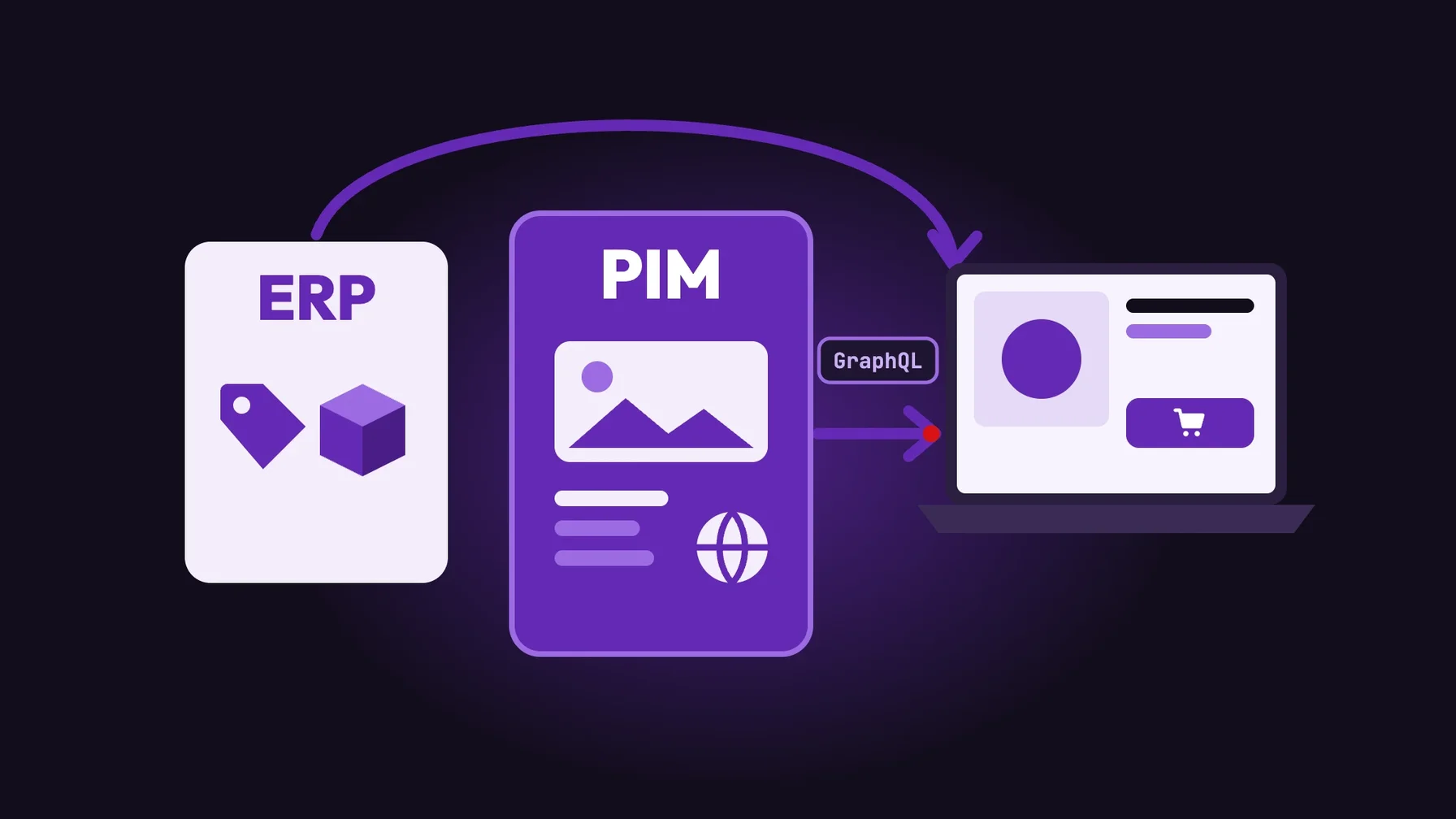
Who supplies which data?
In a typical architecture, each system has a clear role:
ERP: item numbers, prices, stock and commercial data
Pimcore: attributes, descriptions, translations, variants, images and documents
Shop: presentation, cart, checkout and orders
The most important rule: every piece of information has exactly one leading system. If a price is maintained in the ERP, it isn't also changed in Pimcore or the shop.
The technical routes from Pimcore to the shop
Pimcore provides data through its Datahub. The Datahub delivers and consumes data via configurable endpoints. According to Pimcore, GraphQL is the default and ships with the Datahub. Other adapters such as Simple REST, File Export and Webhooks are available as separate bundles.
There are three ways to connect the shop:
Prebuilt connector: third-party connectors exist for Shopware and Magento. Shopware, for example, offers a Pimcore node in its integration platform Nexus that syncs product objects, categories and media metadata via the Datahub. According to Shopware, this node is still experimental.
Middleware: an integration platform connects Pimcore, ERP and shop and handles mapping and error handling.
Custom integration: a custom importer in the shop reads data from the Datahub. That pays off for complex data models or special requirements.
In practice: a connector is quick to set up but reaches its limits with custom data models. So check upfront whether it can handle your attributes, variants and languages.
Design the data model from the shop's perspective
The most common mistake: the PIM is built around the logic of the ERP or product development, not the shop's needs. Then filter attributes are missing, variants don't match the shop model and images come in the wrong formats.
So plan from the channel: which attributes does the shop filter need? How are variants structured in Shopware or Magento? Which image formats does the product page need? That way, the data model in Pimcore fits the shop without the interface having to translate everything.
Our recommendation: plan PIM and shop together. When both come from one partner, data model and interface are built as one.
What the integration means for your team
With a clean interface, your team maintains product data in one place only. Changes appear in the shop automatically, and new products go online faster.
At the same time, the interface needs operating: monitoring, error alerts for incomplete data and adjustments when the data model changes. Decide who checks and fixes import errors.
How to build the integration
Define data ownership. Record for each field which system leads.
Define the mapping. Map Pimcore classes and attributes to the structures in Shopware or Magento, including variants and languages.
Choose your route. Decide between connector, middleware and custom integration.
Start with a subset. Test with one product group before transferring the whole range.
Set up monitoring. Make sure import errors become visible before customers notice them.
Conclusion: plan Pimcore and your shop together
Connecting Pimcore to your shop isn't purely a technical topic. Only clear data ownership, a data model designed from the shop's perspective and a suitable interface turn the PIM into a revenue driver.
For businesses, that means less duplicate maintenance, faster time to market and fewer errors in the shop.
Shopware and Magento are our core business, and we implement Pimcore as a Platinum Partner. Find out more on our Pimcore agency, Shopware agency and Magento agency pages.
Frequently asked questions
How do I connect Pimcore to Shopware?
Through the Pimcore Datahub, for example via GraphQL, combined with a connector, middleware or custom integration in Shopware. The key is to define data ownership and mapping first.
What is the Pimcore Datahub?
The Datahub is Pimcore's interface layer. It delivers and consumes data via configurable endpoints. GraphQL is included; other adapters such as Simple REST, File Export and Webhooks are available as separate bundles.
Do I need a prebuilt connector or a custom integration?
A connector is quick to set up and enough for standard requirements. With complex data models, many variants or special processes, a custom integration is often more robust.
Which data should the ERP lead and which Pimcore?
Usually, the ERP leads commercial data such as prices and stock, while Pimcore leads descriptive data such as attributes, texts and images. Every piece of information should have exactly one leading system.